

A custom spherical LED display creates a distinctive visual experience by presenting dynamic content across a curved, three-dimensional surface. However, creating effective content for a sphere requires more than resizing a standard video. Custom spherical LED display content mapping must account for curved geometry, module boundaries, image proportions, and viewing angles to deliver a coherent 360-degree experience.
Without proper mapping, circles may appear stretched, text may become difficult to read, and visual elements may break at module seams. These problems can reduce the impact of an otherwise well-designed LED sphere.
For project owners, AV integrators, and display buyers, understanding content mapping helps clarify technical requirements before production and installation. It also supports more accurate content preparation, smoother commissioning, and better visual performance.
Content mapping is the process of adapting digital visual content to the physical geometry and pixel layout of a display. For a spherical LED screen, this process connects the intended image or video to the actual positions of LED pixels across a curved surface.
Unlike a conventional flat LED wall, a sphere has curvature in multiple directions. Its surface wraps horizontally and vertically, so a flat image cannot simply be stretched across it without considering geometric distortion.
These two processes are related but serve different purposes.
| Process | Main Function | Why It Matters |
|---|---|---|
| Content mapping | Adapts visual assets to the sphere’s geometry and intended viewing experience | Helps images, animations, and video appear correctly shaped |
| Pixel mapping | Assigns content coordinates or control data to physical LED pixels and modules | Ensures the intended pixels display the correct image data |
| Geometric calibration | Corrects alignment and spatial discrepancies between the content and physical display | Helps reduce visible offsets and mismatched image elements |
| Brightness and color calibration | Adjusts luminance and color consistency across the display | Helps maintain a more uniform visual appearance |
The exact workflow depends on the sphere’s construction, control system, content software, and installation requirements. Some projects combine these functions within a single mapping and calibration workflow.
One of the main challenges in spherical LED display design is translating flat content onto a curved surface. The mapping method must account for how image coordinates correspond to positions on the sphere.
A sphere cannot be represented on a flat plane without some form of distortion. Common projection methods distribute that distortion differently.
For example, an equirectangular image represents longitude and latitude on a rectangular canvas. It is useful for many 360-degree workflows, but areas near the poles may appear stretched when viewed in the flat image.
Other mapping approaches may suit different content types, sphere dimensions, and viewing arrangements. The best method depends on how the content will be rendered and where the audience will view it.
For a custom spherical LED display, designers should test representative content using the intended mapping workflow before finalizing the full media package.
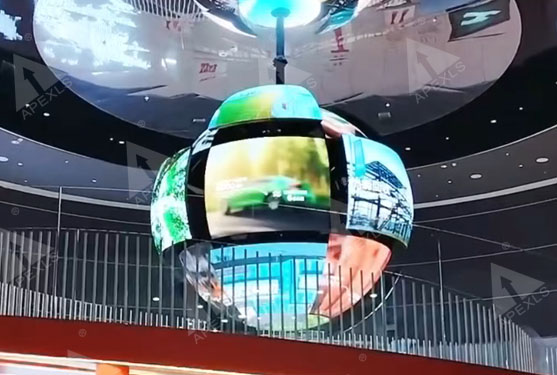
A spherical LED display is assembled from physical LED modules or panels. The module arrangement determines how image data travels across the surface and where physical boundaries may affect the visual result.
Even when the source video looks correct on a computer, the displayed image may reveal discontinuities if the mapping does not match the physical layout.
Misaligned visual elements: A continuous line, logo, or moving object may appear offset where adjacent modules meet.
Broken animation paths: An object moving around the sphere may jump, shift, or change direction unexpectedly if its mapped coordinates are incorrect.
Visible seam effects: Content crossing module boundaries may expose alignment differences, especially in high-contrast patterns or precise geometric graphics.
Incorrect pixel coordinates: A mismatch between the content map and the LED control configuration can place image sections on the wrong modules.
These issues are not always caused by content mapping alone. Physical assembly tolerances, module geometry, calibration, controller configuration, and signal-processing settings can also affect the result.
A practical workflow includes the following steps:
A well-planned mapping process helps reduce visual discontinuities, but it cannot compensate for every physical assembly or hardware issue.
A spherical LED display offers a different viewing experience from a flat screen. Viewers may observe it from multiple horizontal directions, while the physical installation determines whether the upper and lower surfaces are also visible.
Content should therefore be designed around the intended audience experience rather than simply adapted from a conventional rectangular video.
The required canvas and aspect ratio depend on the display geometry, content pipeline, and playback system. A rectangular source may need to be transformed into a spherical representation before playback.
| Content Type | Main Design Consideration | Recommended Preparation |
|---|---|---|
| 360-degree panoramic video | Continuity around the horizontal viewing direction | Confirm projection format and wraparound alignment |
| Brand logo animation | Shape accuracy and brand recognition | Test logo proportions and orientation on the sphere |
| Scientific or educational visualization | Spatial accuracy and detail visibility | Check labels, diagrams, and important data positions |
| Abstract motion graphics | Smooth movement across curved areas | Test transitions, trajectories, and seam crossings |
| Promotional video | Message visibility from multiple viewing positions | Position key messages within suitable viewing zones |
For a 360-degree LED display, content should be checked in the intended playback format. A video that looks correct in a flat editing window may not look correct after spherical mapping.
Not every part of a sphere is equally suitable for every type of information. The best placement depends on the sphere’s orientation, viewing distance, installation height, and audience position.
For example, a logo may need a controlled orientation to remain recognizable from common viewing positions. Detailed text may need to be larger and positioned away from areas where curvature makes it difficult to interpret.
Designers should establish content-safe areas during planning. These areas help define where critical text, logos, faces, and other essential elements should appear.
Correct geometry is only one part of a successful spherical LED display. A convincing result also depends on visual continuity, color consistency, brightness, and the relationship between the content and the physical environment.
Differences in LED modules, calibration settings, and viewing conditions can create visible variations across the sphere. These variations may become especially noticeable in large areas of a single color or during slow transitions.
To support visual consistency:
Content mapping can help identify and locate problematic regions, but uniformity also depends on the display hardware and calibration process.
A sphere may be viewed from different directions at the same time. Content that works from one position may appear reversed, poorly oriented, or visually unbalanced from another.
Before approval, test the content from several representative viewing positions. Pay particular attention to rotating objects, text, directional graphics, and transitions that cross the sphere’s boundaries.
For installations designed around a fixed audience position, content can be optimized for that primary viewpoint. For installations intended for unrestricted 360-degree viewing, the design should account for a broader range of audience positions.
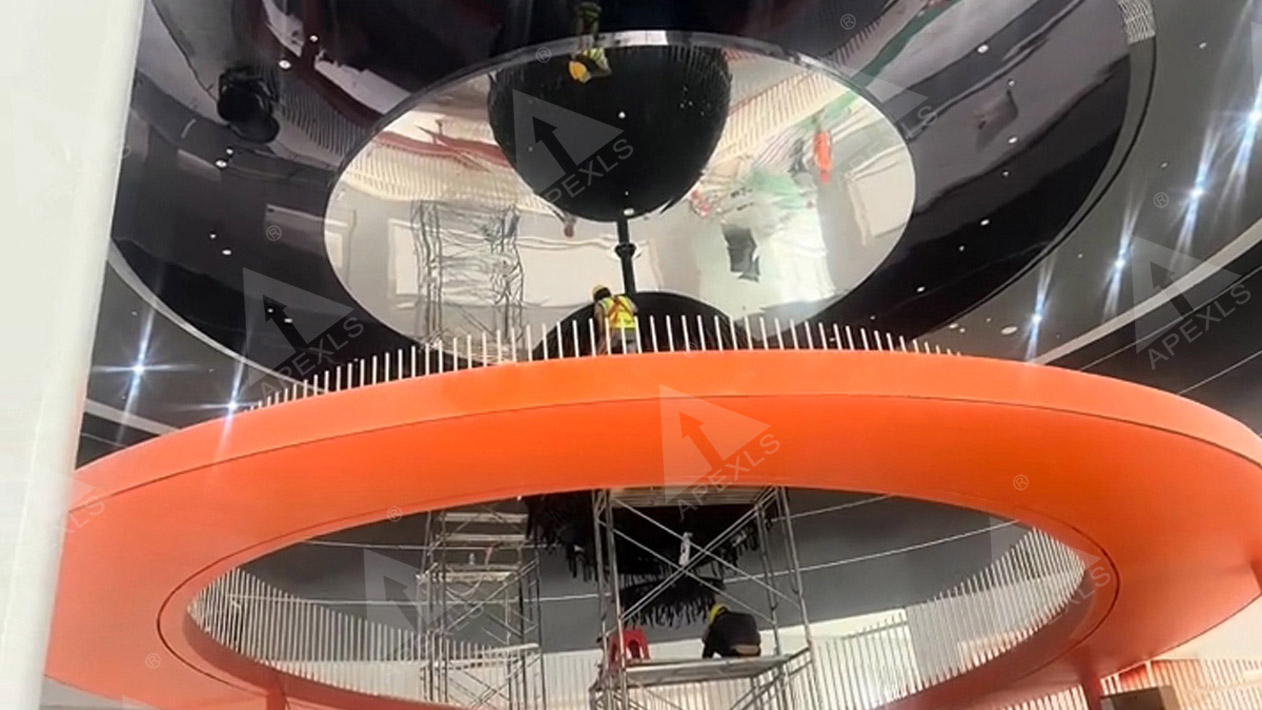
Content mapping is most effective when it begins during project planning instead of being postponed until installation.
Confirm the sphere’s diameter, pixel pitch, resolution, physical orientation, and intended viewing distance. Establish whether the audience will view the sphere from all sides or mainly from a defined area.
Identify the LED controller, playback hardware, supported input formats, and mapping software. Confirm the required canvas dimensions, coordinate system, and content format with the system integrator.
Choose a suitable projection or mapping method. Adjust image placement, object proportions, text size, and animation paths to suit the sphere.
Use test patterns before loading the final media package. Circles, grids, straight lines, gradients, and moving objects can reveal different types of mapping errors.
Check image continuity, pixel alignment, color uniformity, brightness, and playback stability on the assembled sphere. Correct any issues that originate from content coordinates, hardware configuration, or calibration.
Record the approved canvas dimensions, mapping files, controller configuration, color settings, and content specifications. This documentation makes future updates and replacement content easier to manage.
For B2B buyers, content mapping should be included in the technical discussion when evaluating a custom LED sphere. Clear requirements help the display supplier and content team avoid mismatched expectations.
| Buyer Checklist | Questions to Ask |
|---|---|
| Physical structure | What are the sphere diameter, module arrangement, and pixel pitch? |
| Resolution | What is the actual pixel layout, and how is the content canvas defined? |
| Mapping method | Which projection, coordinate system, or mapping workflow does the project require? |
| Playback compatibility | Which controllers, media servers, and content formats are supported? |
| Visual continuity | How will the team test seams, moving objects, and continuous graphics? |
| Viewing requirements | Will the display be viewed from all sides, from below, or mainly from one direction? |
| Calibration | Which geometric, brightness, and color checks are included in commissioning? |
| Content handover | Will the supplier provide mapping files, templates, or technical guidance for future content updates? |
Buyers should confirm which tasks belong to the LED display supplier, the system integrator, and the content production team. Responsibilities vary by project, so they should be documented in the quotation or technical agreement.
A sphere has curvature in multiple directions, so rectangular content cannot be transferred directly without considering projection and geometry. Mapping adapts visual assets to the display’s physical pixel layout and intended viewing experience.
No. Mapping can reduce distortion caused by an unsuitable projection or incorrect coordinate alignment. However, projection characteristics, physical geometry, viewing position, pixel resolution, and calibration can still affect the displayed image.
Spherical content mapping focuses on adapting visual content to a curved surface. LED pixel mapping connects content coordinates to the physical LED pixels or modules. Both processes may be integrated into one workflow, depending on the control system.
Yes, in some workflows, but it may require cropping, remapping, reformatting, or creative adaptation. The appropriate method depends on the sphere’s geometry, playback system, and desired viewing experience.
Test geometric accuracy, module alignment, seam continuity, color and brightness uniformity, motion transitions, and playback stability. The acceptance criteria should reflect the project’s actual viewing conditions and technical requirements.
Custom spherical LED display content mapping is essential to translating a display’s physical geometry into a coherent visual experience. It helps align content with the LED pixel layout, manage spherical distortion, maintain image continuity, and adapt graphics to 360-degree viewing requirements.
Successful results depend on more than mapping software. Display geometry, module assembly, controller configuration, content preparation, and calibration must work together. Buyers should therefore confirm mapping requirements early, test representative content on the actual display, and define acceptance criteria before project handover.
For projects involving custom spherical LED displays, Apexls can discuss display requirements, physical structure, and content-mapping considerations with your team to help establish a suitable technical direction. Contact Apexls to discuss your project specifications and integration needs.